
 CRE Agents
Your plan and credits
Your firm's CRE Agents plan: seats in use, catalogs per seat, and the shared monthly credit pool. Only admins see credits. How to add more.
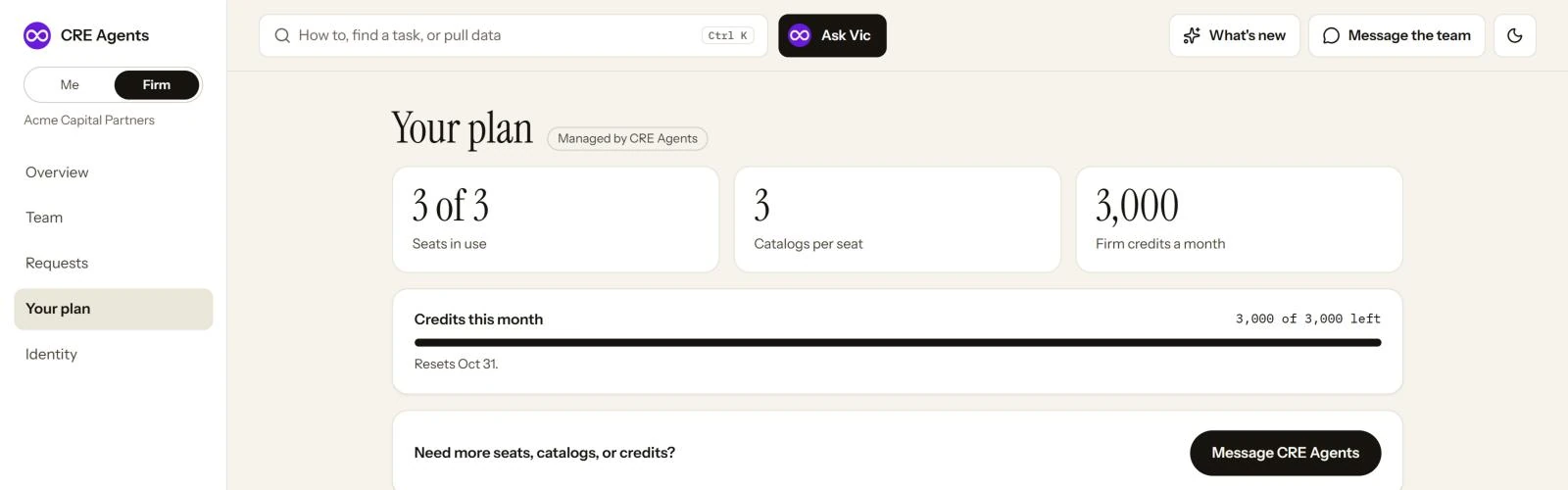
The three numbers
Section titled “The three numbers”| What it means | |
|---|---|
| Seats in use | How many people have a seat, out of how many your plan includes. |
| Catalogs per seat | How many catalogs each person can hold at once. |
| Firm credits a month | One pool for the whole firm, shared by everyone. |
How credits work
Section titled “How credits work”Tasks that pull live data draw from the firm’s credit pool. The pool resets every month, on the date shown under Credits this month.
- The page shows how much is left, who drew the most, and how long the rest lasts at the current pace.
- When credits run low, a notice appears on the Firm overview.
- If the pool runs out, tasks that pull data pause until the reset. Everything else still runs.
Only admins see any of this. Members never see credits or limits.
Changing your plan
Section titled “Changing your plan”There’s nothing to buy in the portal. To add seats, catalogs or credits, click Message CRE Agents and tell us what you need.
| If your firm is… | You’ll see | To change it |
|---|---|---|
| Managed by CRE Agents | “Managed by CRE Agents” | Message CRE Agents. Terms and invoices are handled outside the portal. |
| Paying by card | “Paid by card” | Message CRE Agents. Update your card or get invoices from Account, Your seat. |
Next steps
Section titled “Next steps”Team and seatsWho's using seats and credits.
Admin overviewEverything on the Firm pages.
© 2026 CRE Agents. All rights reserved.
AI can make mistakes. Please double-check responses. Not tax, legal, or investment advice.