
 CRE Agents
Set up your firm
Admins set up the firm first, then their own account. Three steps, with Vic or by hand.
The first time a firm admin signs in, setup starts with the firm. It’s three steps: Identity, Departments and Your team. Then it moves on to your own account.
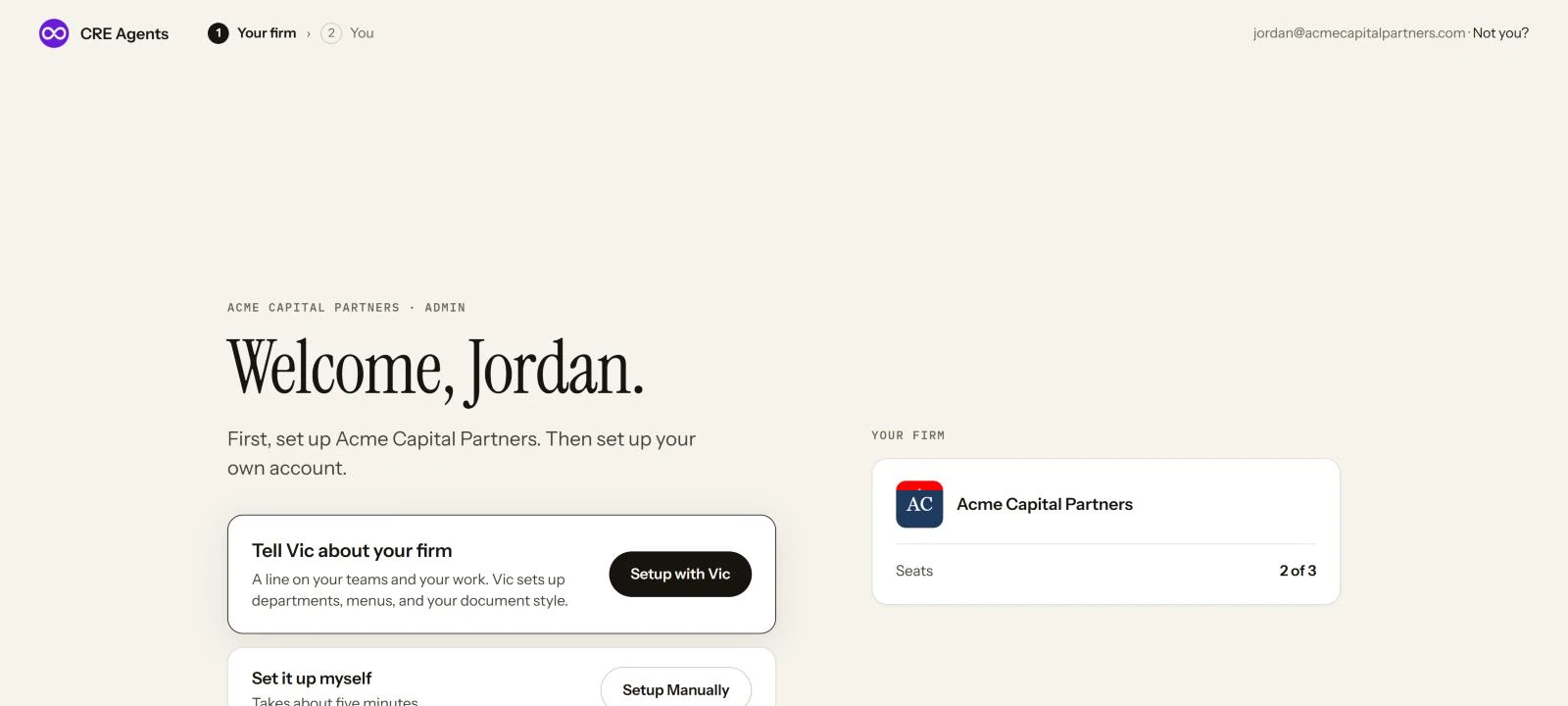
Setup with Vic
Section titled “Setup with Vic”Write a line about your teams and your work. Vic proposes your departments, the catalogs on each one’s menu, and a document style. Check it, change anything, and click Set this up.
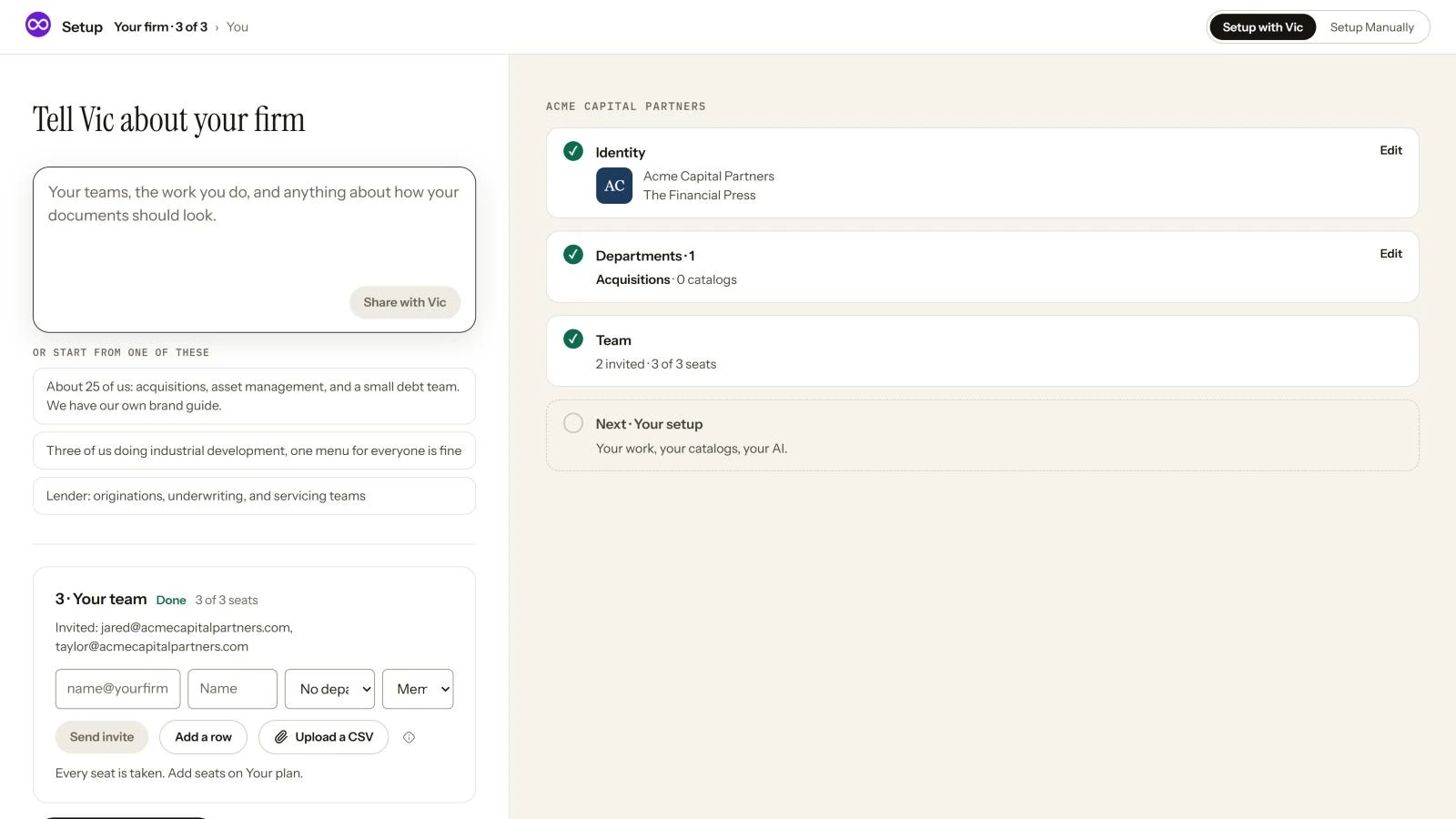
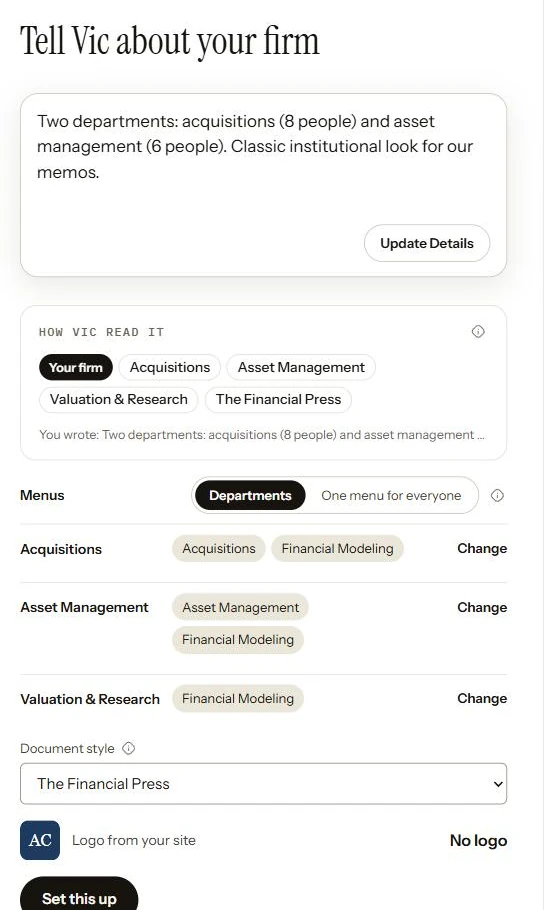
Vic never sees your firm’s name or logo. He reads your line and proposes, and you decide.
Setup Manually
Section titled “Setup Manually”All three steps on one page.
1. Identity
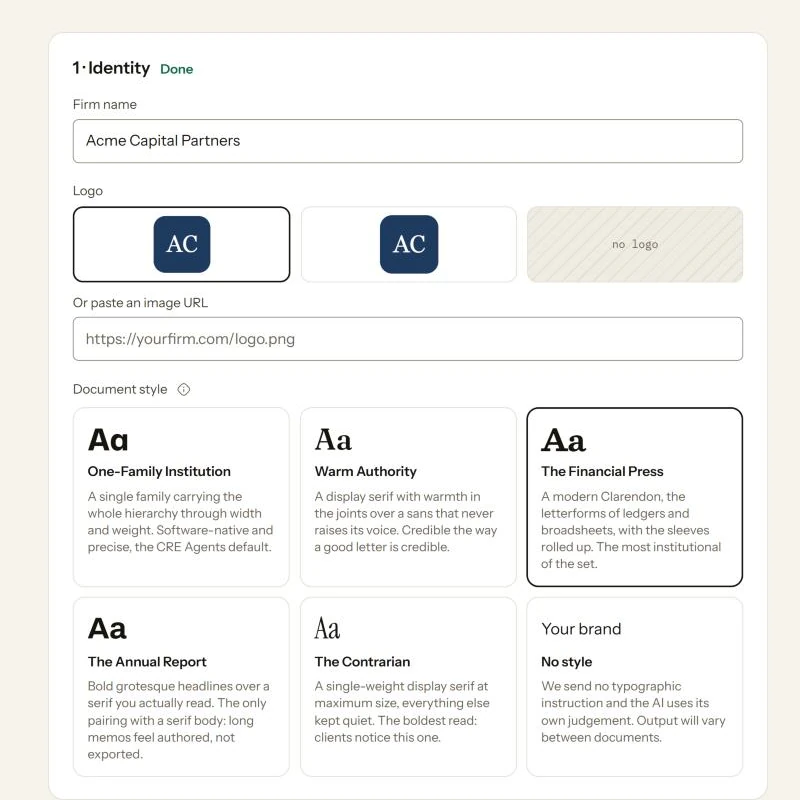
Section titled “1. Identity”Your firm’s name, logo and document style: the type your AI uses in memos, models and reports. See Identity for the styles.
2. Departments
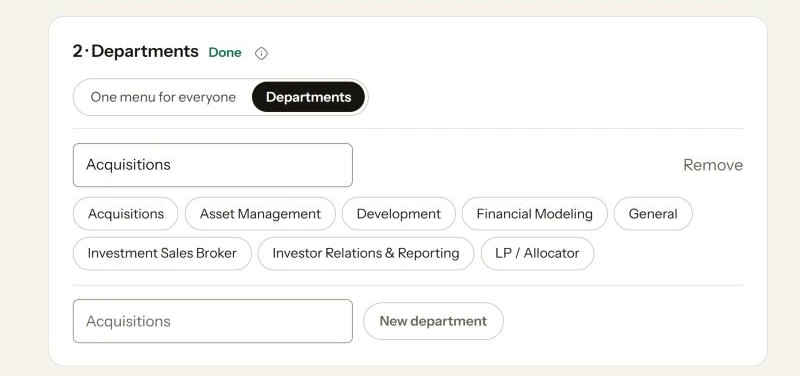
Section titled “2. Departments”One menu for everyone gives everyone every catalog. Departments gives each team its own menu. Name a department and click the catalogs on its menu.
3. Your team
Section titled “3. Your team”Add people by email and name, pick their department and whether they’re a member or an admin, and click Send invite. Got a list? Upload a CSV.
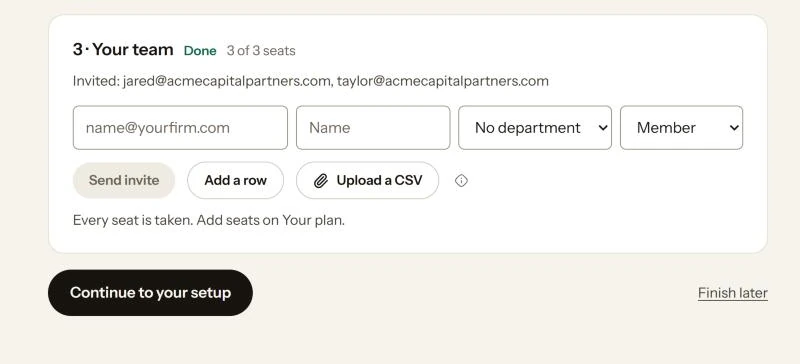
When the three steps are done, click Continue to your setup. Not now? Finish later. The Finish setup button in the top bar counts both parts and brings you back.
Next steps
Section titled “Next steps”© 2026 CRE Agents. All rights reserved.
AI can make mistakes. Please double-check responses. Not tax, legal, or investment advice.