
 CRE Agents
Find and run tasks
Ask your AI for CRE work in plain words. Start with "Use Vic to" and it finds the right task.
A task is one ready-to-run job, like abstracting a lease or scrubbing a broker’s pro forma. You don’t need to know task names. Describe what you need, and your AI finds the right one with Vic.
Watch Vic at work
Section titled “Watch Vic at work”Pick a task below and watch it run start to finish. Your AI looks different, but the steps are the same in Claude, ChatGPT, Copilot or any other AI.
Six CRE Agents tasks running inside an AI chat app. Each starts with Use Vic to. Vic hands the AI the playbook, the AI asks a question or two, borrows Vic's methods and data, and delivers a Word memo or an Excel workbook.
Made-up deals and numbers. The steps are the real tasks.
Every run has the same beats:
- You ask. “Use Vic to …” plus your files.
- Vic picks the playbook. Your AI asks Vic which task fits.
- A question or two. Anything the task needs that you didn’t say.
- Vic’s methods and data. Your AI borrows the know-how and pulls the numbers.
- The file. A workbook, a memo or an answer in chat, with a short summary.
What to ask
Section titled “What to ask”| You say | What you get |
|---|---|
| “Use Vic to abstract this lease.” | A lease abstract in standard sections: parties and term, rent, expenses, reporting, default, assignment and more. |
| “Use Vic to compare this T12 to the broker’s pro forma.” | A line-by-line variance workbook that flags what looks aggressive or conservative. |
| “Use Vic to analyze the lease rollover at this property.” | An expiration schedule by year, WALT, mark-to-market, and the cost of re-leasing. |
| “Use Vic to pull a rate briefing for a refi.” | A short benchmark-rate briefing (SOFR, Treasuries, the swap curve) framed for your purpose. |
| “Use Vic to do a deep location read on this address.” | The site, the trade area, the labor market, and the demand drivers around it. |
These are examples. Your catalogs decide which tasks you can run.
- Attach the file. A rent roll, a T12, a lease or an OM. Your AI reads it and asks for anything else it needs.
- Say the property and the goal. An address and what the work is for (a bid, a refi, an IC memo) gets you a sharper answer.
- Not sure what’s possible? Ask “Use Vic to show me what you can do.”
Find tasks in the portal
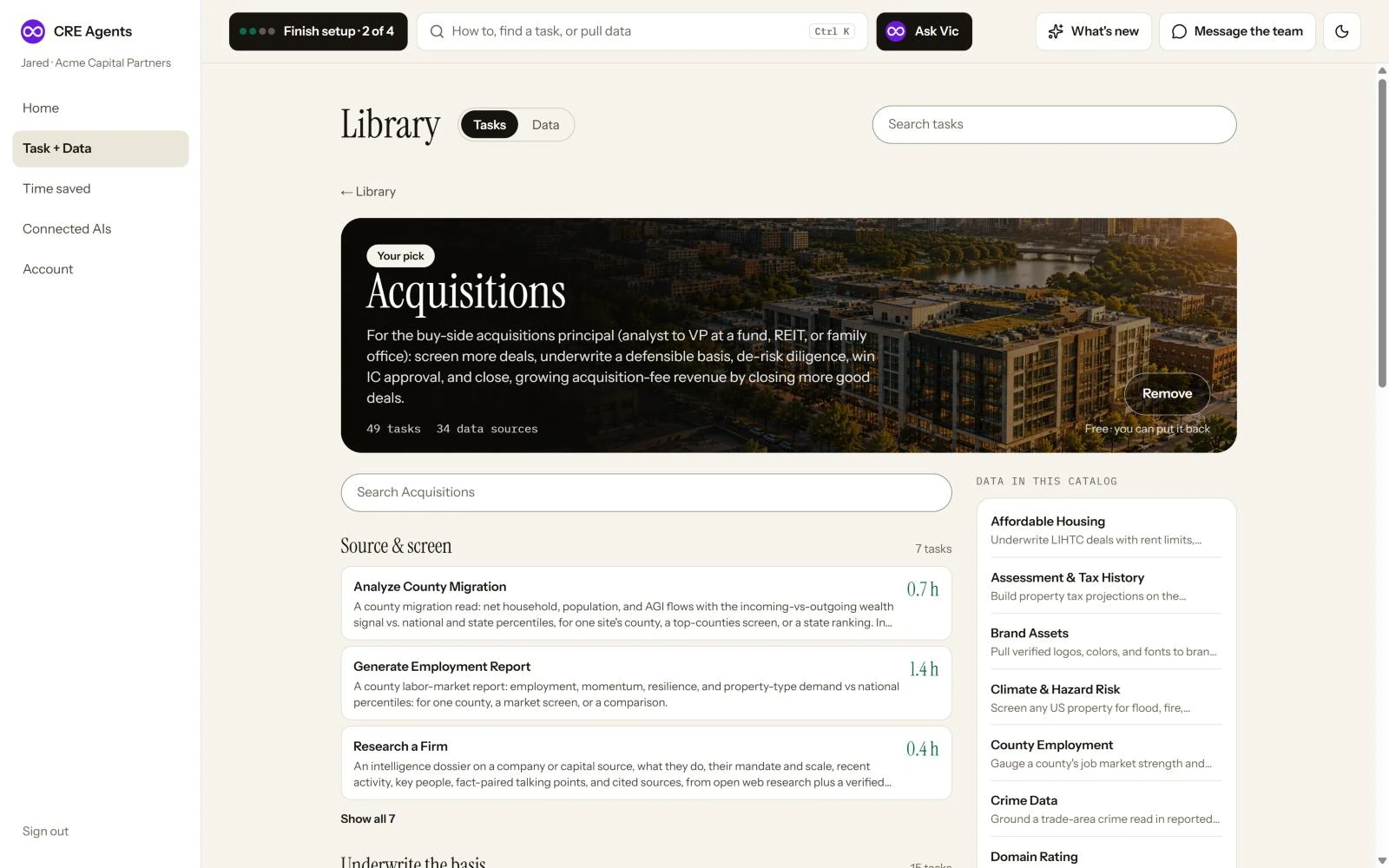
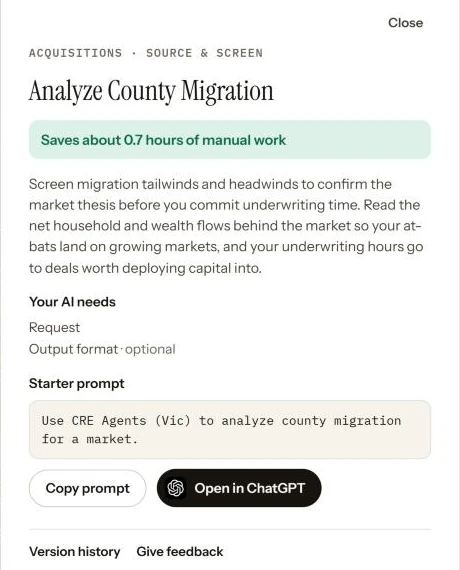
Section titled “Find tasks in the portal”Open Task + Data in the portal and click a catalog to see its tasks. Click a task to see what it gives you, what your AI will ask for, and a ready prompt. Copy prompt, or open it straight in your AI. You can also search every task at once, or ask Vic.
Next steps
Section titled “Next steps”© 2026 CRE Agents. All rights reserved.
AI can make mistakes. Please double-check responses. Not tax, legal, or investment advice.