
 CRE Agents
Ask Vic
Type one line in the portal. Vic fetches the doc, the task or the data you need. He doesn't chat.
Ask Vic is the quick way to get something from Vic without opening your AI. Type what you need. Vic shows how he read it, then what he found.
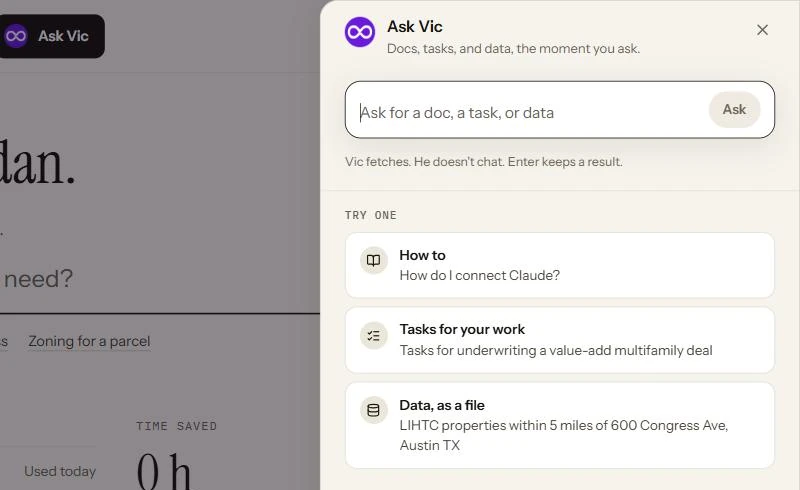
Open it
Section titled “Open it”- Click How to, find a task, or pull data or Ask Vic in the top bar.
- Press Ctrl K (or ⌘K on a Mac) on any page.
- Type in the line on Home and press Enter.
What Vic can fetch
Section titled “What Vic can fetch”| Ask for | Try | What comes back |
|---|---|---|
| How to | “How do I connect Claude?” | The closest pages in these docs. |
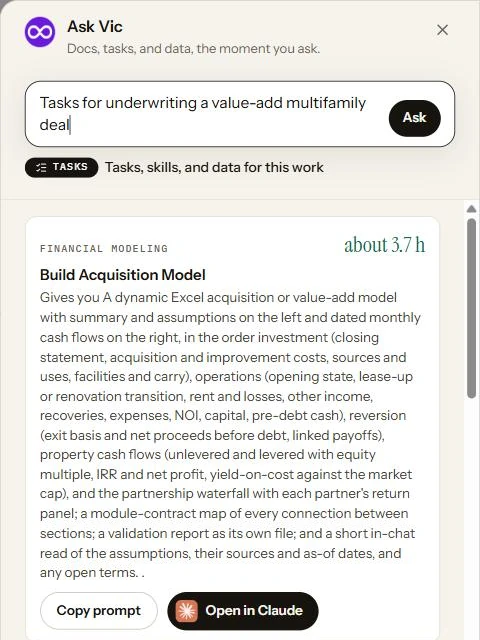
| Tasks for your work | “Tasks for underwriting a value-add multifamily deal” | Tasks from your catalogs, each with a ready prompt. Copy prompt or open it straight in your AI. |
| Data, as a file | “LIHTC properties within 5 miles of 600 Congress Ave, Austin TX” | A preview, then a CSV or JSON file to download or drop into your AI. |
Docs and tasks show up as you type. A data pull waits for you: press Enter to check it, then click Pull the data.
For admins
Section titled “For admins”Admins get two more, in Firm mode:
| Ask for | Try | What happens |
|---|---|---|
| Add people | “Add priya@acme.com and tom@acme.com to Acquisitions” | Vic lists the changes. Nothing changes until you click to confirm, then invitations go out. You can also attach a CSV of people. |
| Your firm | “Who hasn’t run a task this month?” | Answers from your firm’s own activity. |
Next steps
Section titled “Next steps”Find and run tasksWatch Vic at work inside an AI.
Data and data sourcesWhat Vic can pull.
© 2026 CRE Agents. All rights reserved.
AI can make mistakes. Please double-check responses. Not tax, legal, or investment advice.