
 CRE Agents
Catalogs
Tasks come in catalogs, one for each line of work. You pick the ones you need.
A catalog is a set of tasks built for one kind of CRE work. Each one is organized into workstreams, the stages of that job, so you can see where a task fits.
The catalogs
Section titled “The catalogs”General
70 tasksEveryday tasks for anyone in commercial real estate. Start here if no role catalog fits you yet.
- Debt & financing
- Organize the deal
A.CRE Financial Modeling
21 tasksBuild acquisition, value-add, development, hold, and valuation models the way A.CRE teaches tens of thousands of CRE pros.
- Acquisitions & value-add
- Development
- Asset management
- Valuation
- Review & learn
Acquisitions
53 tasksFor the buy-side acquisitions team: screen more deals, underwrite a defensible basis, clear diligence, win IC, and close.
- Source & screen
- Underwrite the basis
- Diligence & de-risk
- Finance & win approval
- Close
Asset Management
49 tasksFor the asset manager running the hold: the business plan and budget, leasing, opex and taxes, capital, debt, and the exit.
- Own the business plan & budget
- Drive income & leasing
- Control opex & taxes
- Steward the asset & capital plan
- Manage the capital stack & debt
- Value the asset & time the exit
Capital Advisory
15 tasksFor the placement agent raising institutional capital for real estate managers: match mandates, earn trust, and convert LPs.
- Know both sides
- Target & match
- Build credibility assets
- Publish thought leadership
- Engage & convert
Development
63 tasksFor the developer running ground-up and major value-add projects: secure the site, prove it pencils, fund it, build it, and sell.
- Source & secure the site
- Prove feasibility & entitlements
- Underwrite the development & returns
- Capitalize the project
- Execute: build & lease-up
- Stabilize, report & realize
Investment Sales Broker
72 tasksFor the investment sales broker: fill the funnel, win the assignment, market the deal, negotiate, close, and keep the client.
- Fill the funnel
- Win the assignment
- Market & evaluate the deal
- Negotiate & close
- Nurture & repeat
Investor Relations & Reporting
42 tasksFor IR and fund reporting at a GP or fund manager: report to investors, account for capital, show performance, and raise more.
- Report to investors
- Account for capital
- Show the performance
- Engage investors
- Raise the next dollar
Leasing Broker
32 tasksFor the office, industrial, and retail leasing broker: win the assignment, negotiate on net effective rent, and keep the renewal.
- Win the assignment
- Source & qualify
- Make the market
- Negotiate the economics
- Paper & close
- Report & repeat
LP / Allocator
20 tasksFor the LP backing specialist GPs: screen each deal against your mandate, diligence market, sponsor, and terms, then monitor it.
- Screen the inbound
- Diligence the market
- Diligence the sponsor
- Diligence the deal & terms
- Decide & document
- Monitor the position
Research & Insights
40 tasksFor the CRE research team: read the cycle and pricing, pick markets, go deep on a sector, and publish the firm's research.
- Read the cycle and pricing
- Choose markets
- Understand a market
- Go deep on a sector
- Publish and answer
Picking catalogs
Section titled “Picking catalogs”You pick catalogs during setup, and on Tasks & Data in the portal any time after. Your picks sit in slots at the top. Everything you could add is under Add more.
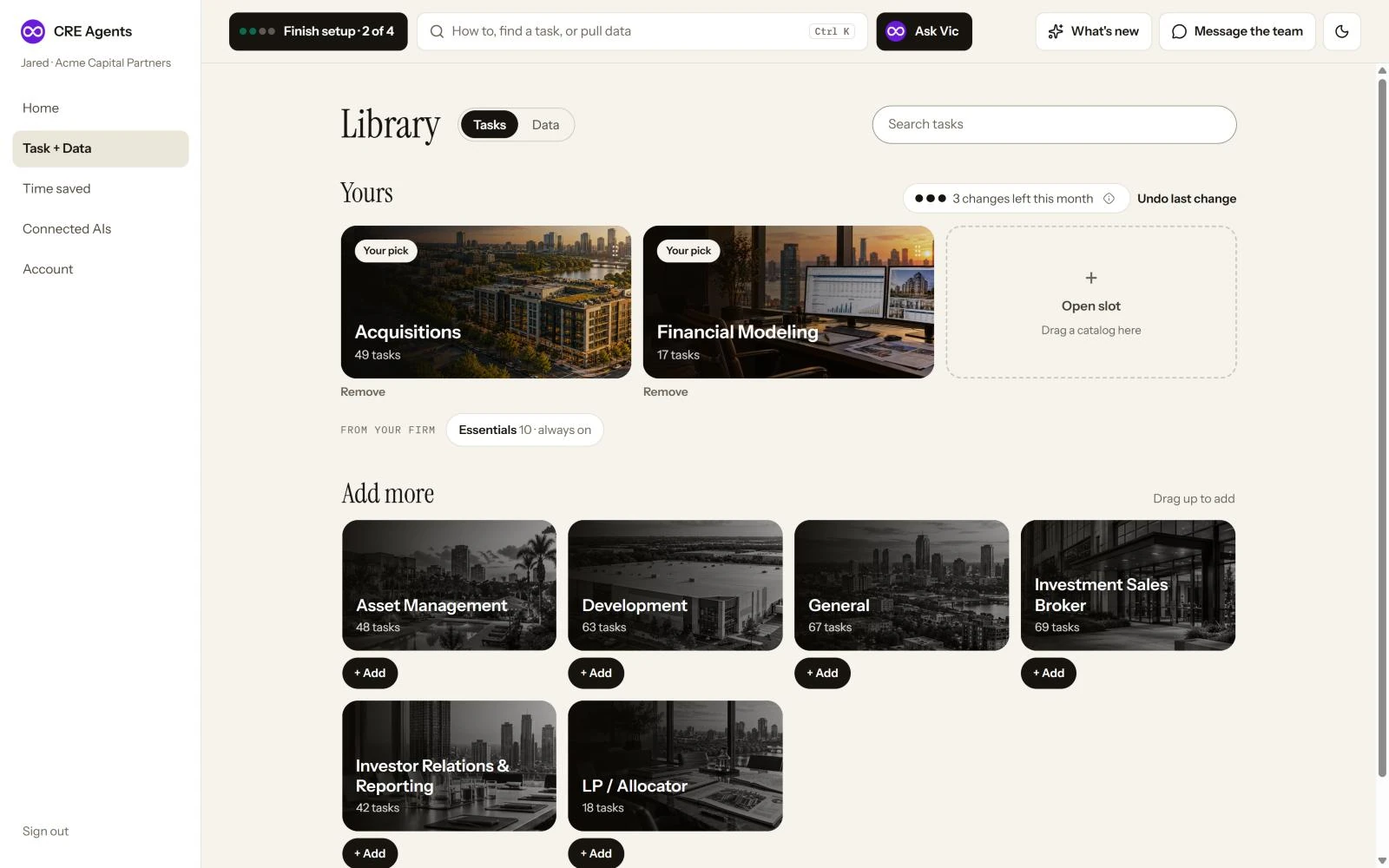
- Add one: drag it onto an open slot, or click + Add. With every slot full, drop it on a pick, or click Swap in.
- Remove one: drag it down out of its slot, or click Remove. Removing is free.
- Every change asks first and says what it costs. Then Undo last change appears for a while.
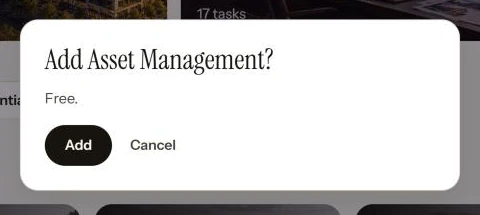
- Changes a month: the dots show how many you have left. Putting back one you just removed is free, and an undo within 3 days gives the change back.
- Core Tasks are Always On, whatever you pick.
- In a department? Your admin picks which catalogs are on your department’s menu. One that isn’t shows under Not on your menu. Click Ask your admin, and they see the request.
Next steps
Section titled “Next steps”© 2026 CRE Agents. All rights reserved.
AI can make mistakes. Please double-check responses. Not tax, legal, or investment advice.